
Scan a wine label. Cork does the rest.
Snap a photo of any label and Cork fills in producer, vintage, region, appellation, grape. About ten seconds, start to finish.
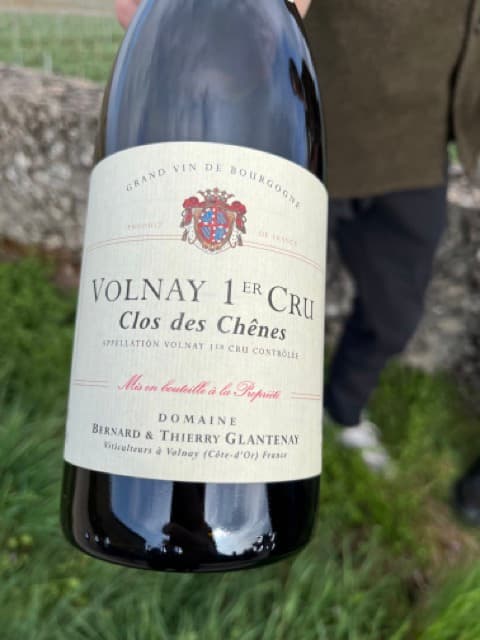
Detected
8 fields extracted
Review and save to your cellar
Skip the typing
Typing it yourself
10 fields. Per wine. Every time.
Scanning with Cork
All filled in. One photo.
How it works
Point your camera
Take a photo of any wine label, or upload one from your gallery.
Cork reads the label
AI extracts producer, vintage, region, grape, and more. No typing.
Éclat de Calcaire
Pierre Girardin · 2019
Review and save
Check the details, tweak anything that needs it, and save to your cellar.
Éclat de Calcaire
Pierre Girardin · 2019
Cork connects the dots
It's not just extraction. Cork understands what you already have and what you've tasted before.
Already in your cellar?
Scan a label and Cork checks if you already own it. Add another or skip the duplicate.
Volnay 1er Cru
Glantenay · 2020
Wines from tastings
Log a tasting for a wine you don't own and Cork still creates the full wine entry for your records.
Meursault "Narvaux"
P. Girardin · 2021
Tasting somewhere else?
At a restaurant or a friend's place? Cork knows the wine isn't from your collection and keeps your stock untouched.
Barolo "Monfortino"
G. Conterno · 2015
Scan multiple wines at once
One photo with several labels, or a handful of separate shots. Cork finds every wine and adds them all to your cellar or logs them as a tasting.
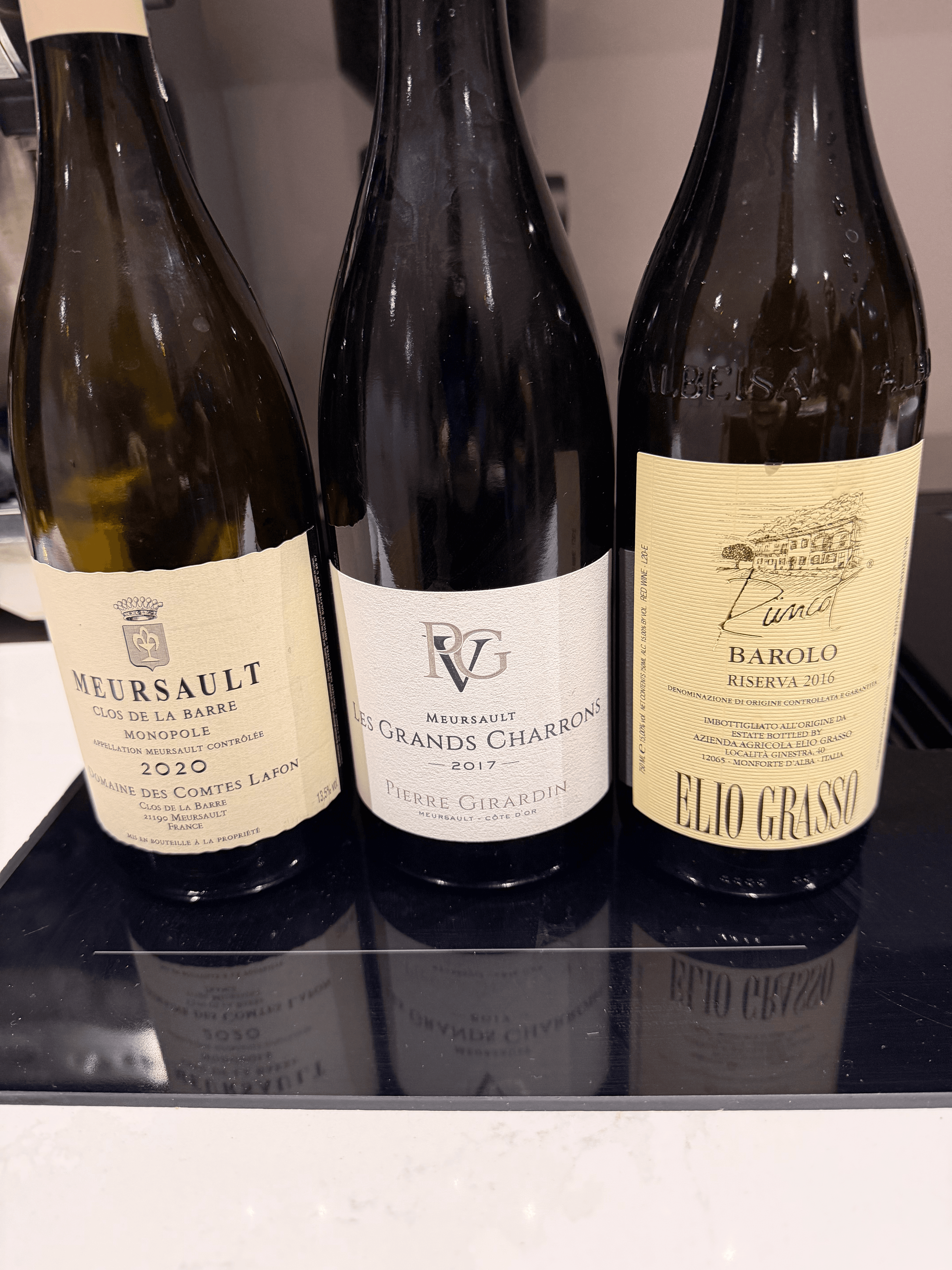
Snap one photo of a flight, a shelf, or a case. Cork picks out each label.
Meursault
Comtes Lafon · 2020
Meursault Grands Charmes
Pierre Girardin · 2017
Barolo Riserva
Elio Grasso · 2016
FAQ
How accurate is Cork's wine label scanning?
Cork uses AI vision to read labels. It handles most European and New World labels well. You can always edit any field before saving.
Is there a limit on how many labels I can scan?
No. Scan as many as you like, on any plan.
Can I scan multiple bottles at once?
Yes. Upload several photos and Cork processes them as a batch.